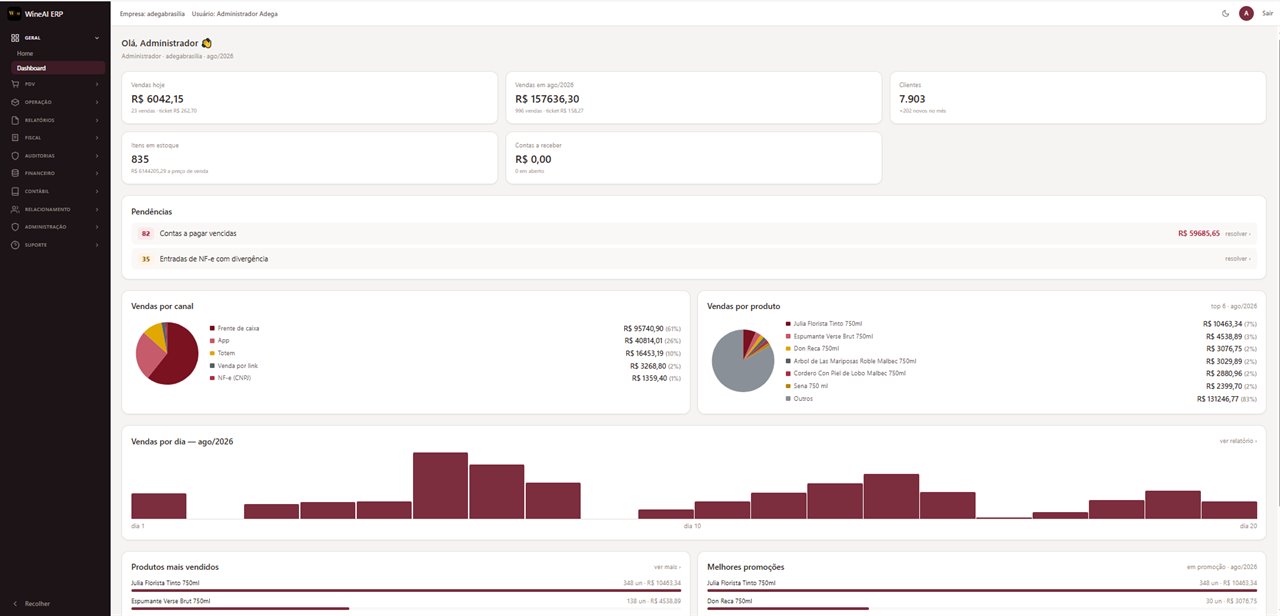
Dashboard — sales for the day and the month, pending items, sales by channel and by product
Este site está disponível em português, inglês e alemão.This site is available in Portuguese, English and German.Diese Website gibt es auf Portugiesisch, Englisch und Deutsch.
Talking about tailor-made platforms is easy. Delivering one is hard — and keeping it running every day, with invoices being issued, tills closing and customers being served, is harder still. Below is what W-AI has built, each project through the same method.
An entire ecosystem for wine retailers and distributors, with three fronts tied to the same database: the back office that runs the operation, the app that serves the shop's customer, and the kiosk that closes the sale at the counter.
It is the most complete case of the method: a diagnosis of the retail operation, tax framing before the first line of code, delivery in sprints and ongoing support with the shop already selling.
Live today. The ERP is available for new wine retailers and distributors — get in touch.
Dashboard — sales for the day and the month, pending items, sales by channel and by product
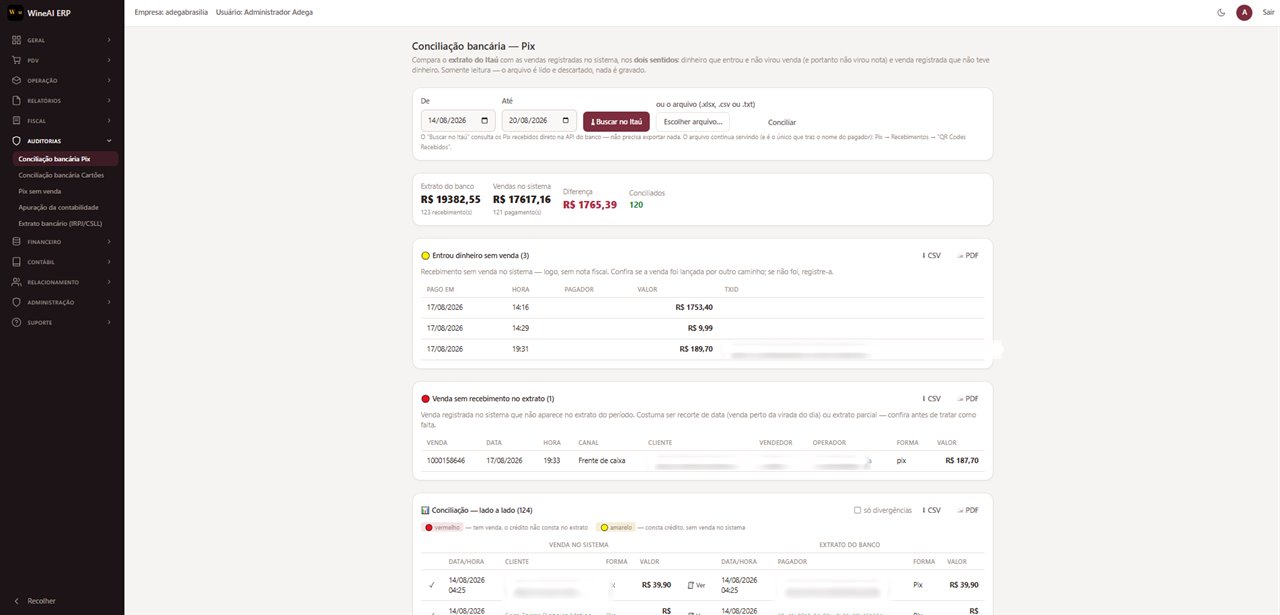
Bank reconciliation — pulls incoming instant payments straight from the bank API and matches them against sales in both directions
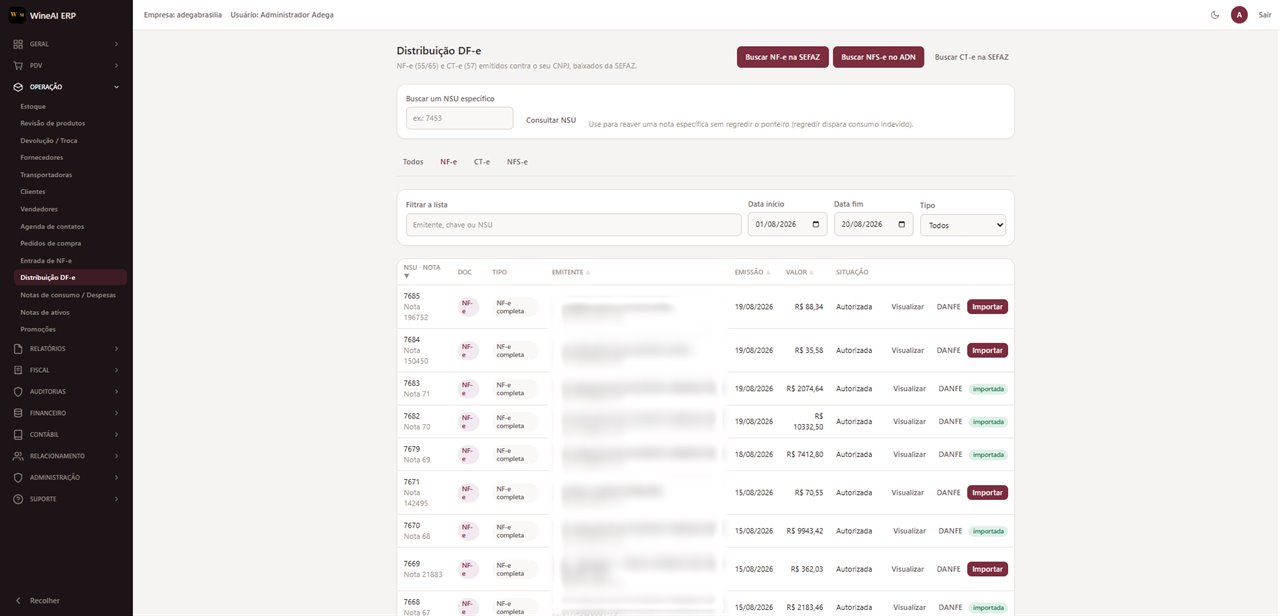
Electronic invoice inbox — downloads from the tax authority every invoice issued against the company and imports the goods receipt without retyping
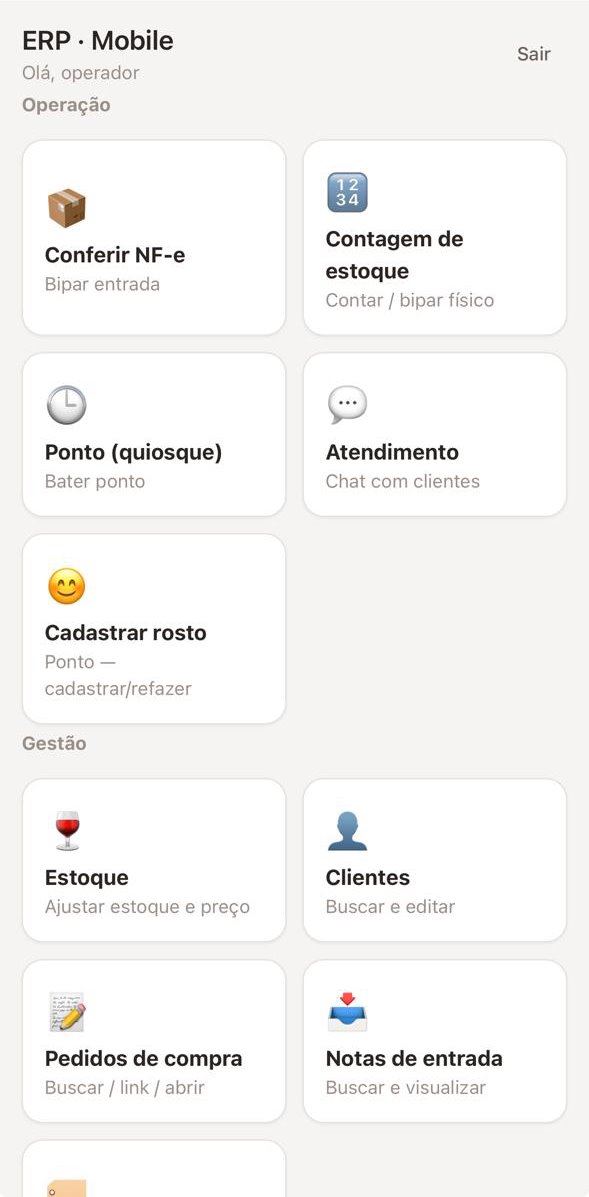
ERP Mobile — shop-floor operations
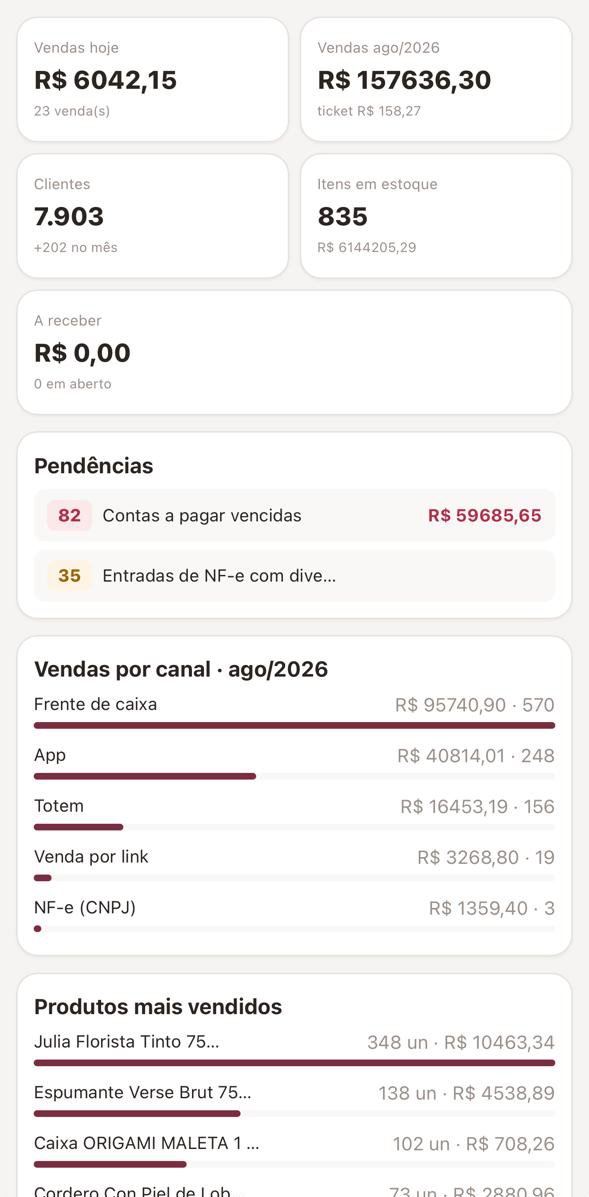
ERP Mobile — the dashboard in the manager's pocket
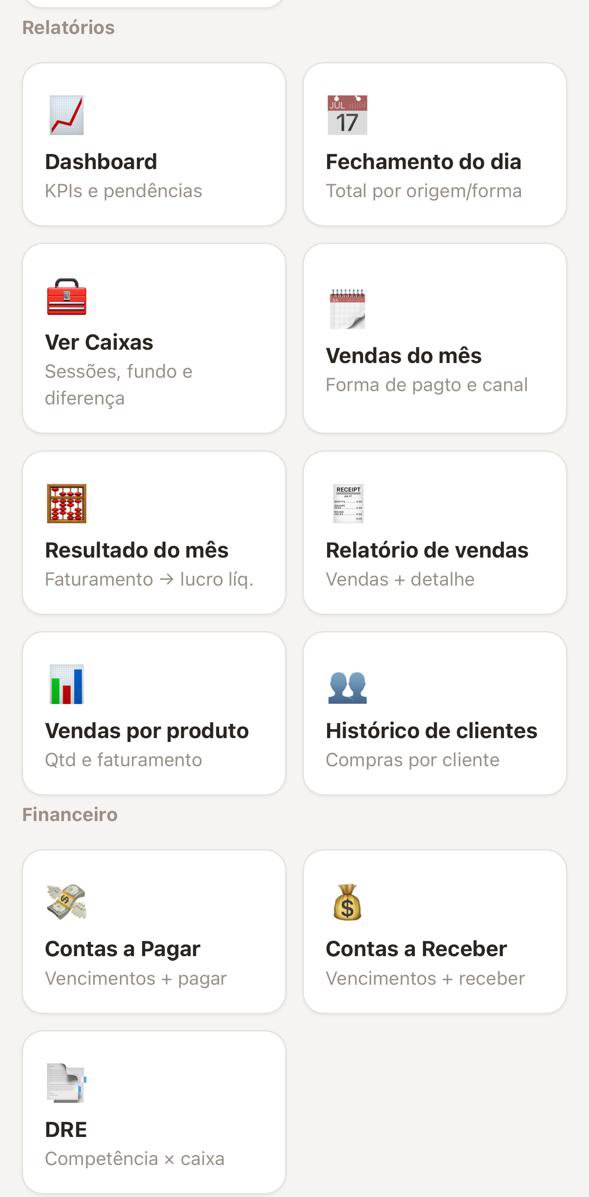
ERP Mobile — reports and finance
The screens above come from a live operation. End-customer names, supplier company names and tax IDs, and transaction identifiers were blurred before publication — no third-party data appears on this page.
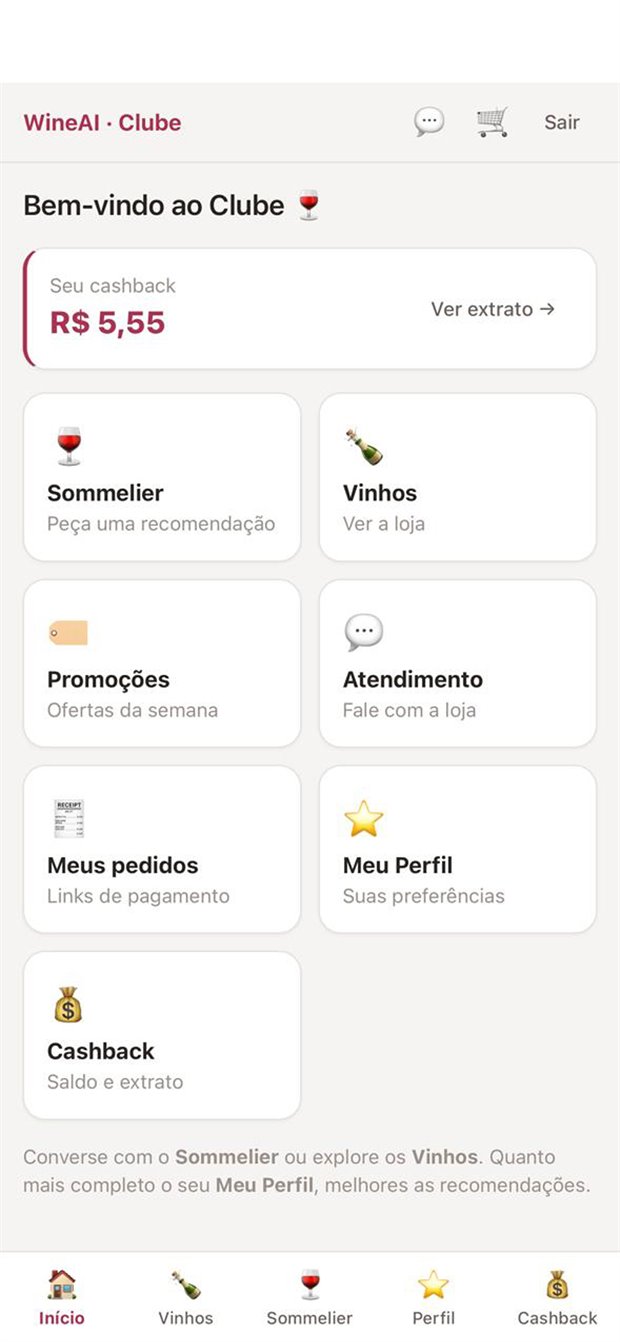
Home — balance and shortcuts
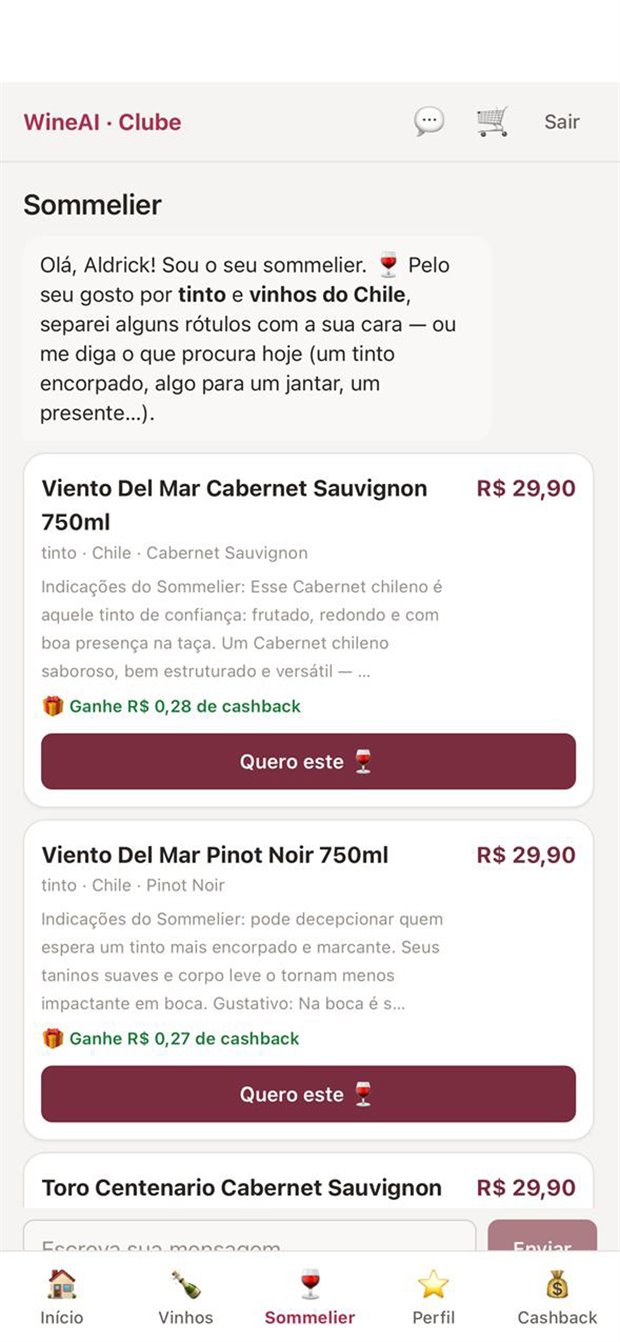
Recommendations drawn from the shop's own catalogue
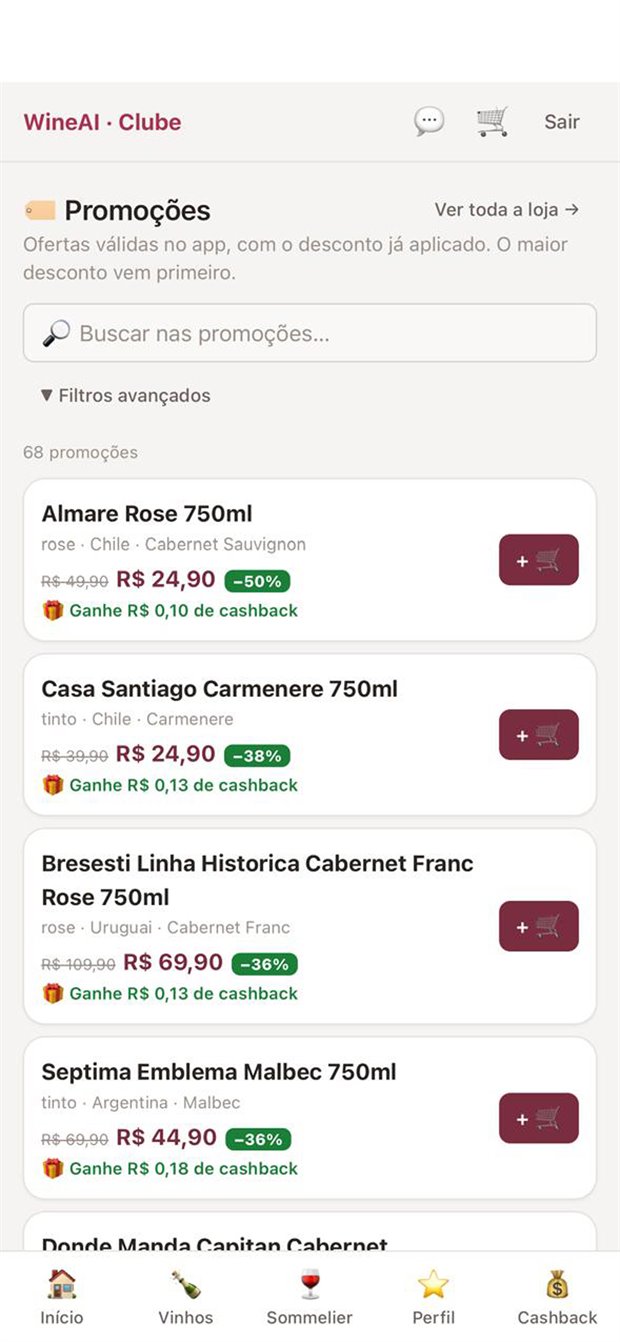
Promotions — discount already applied
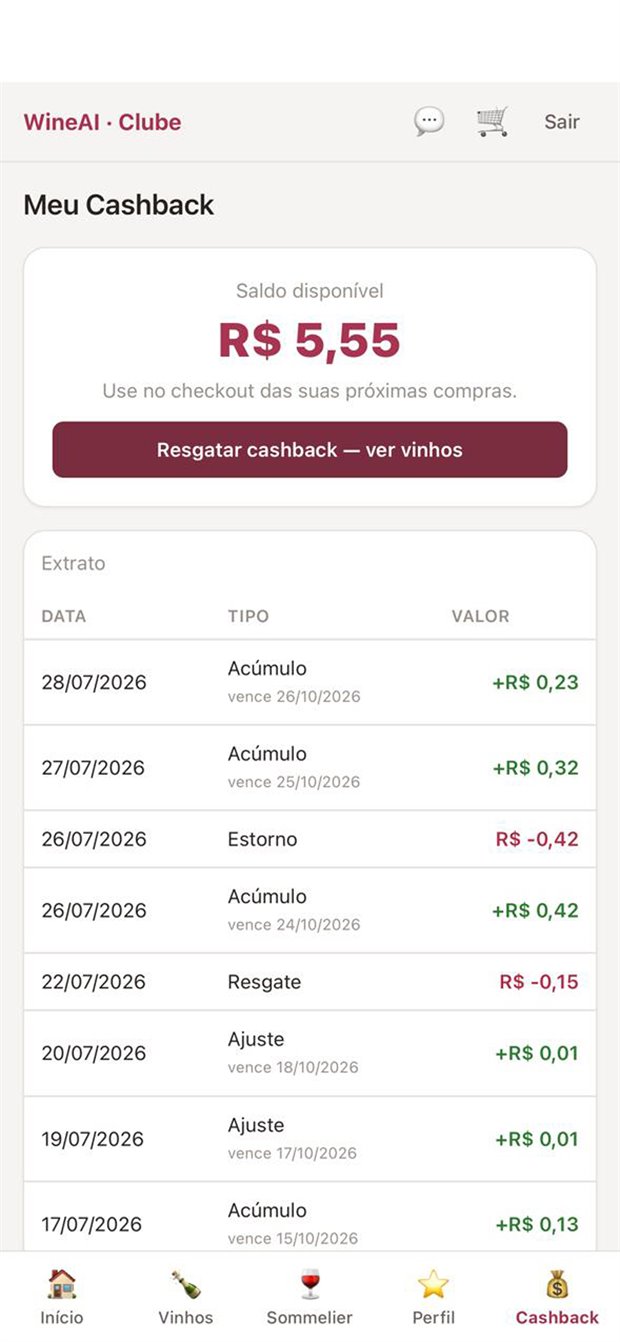
Cashback — balance and statement
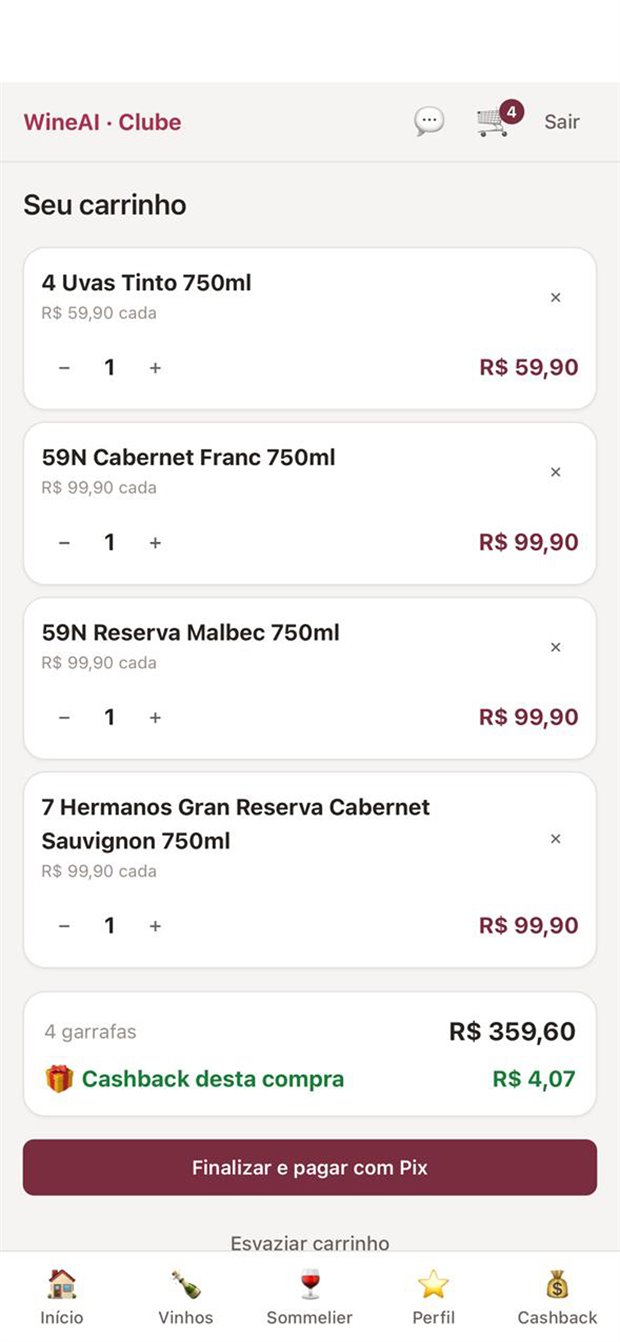
Cart — checkout by instant payment
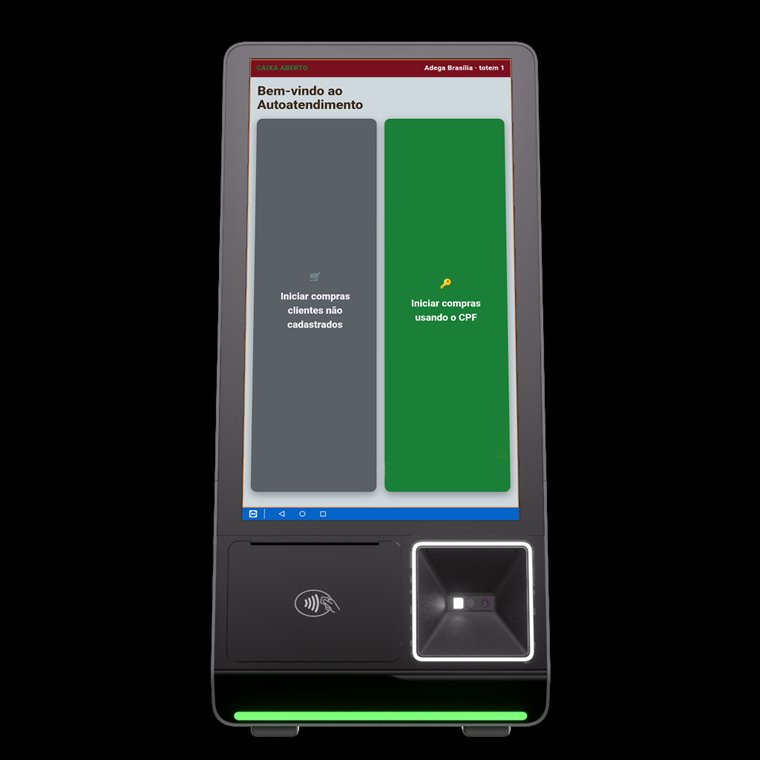
Welcome — with or without identification
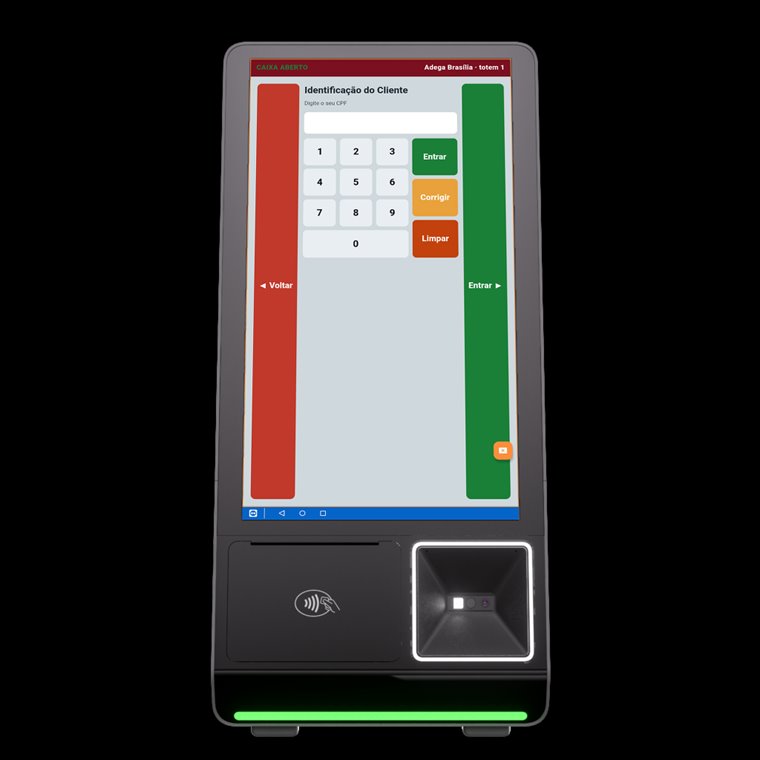
Identification — the customer ID brings up their cashback
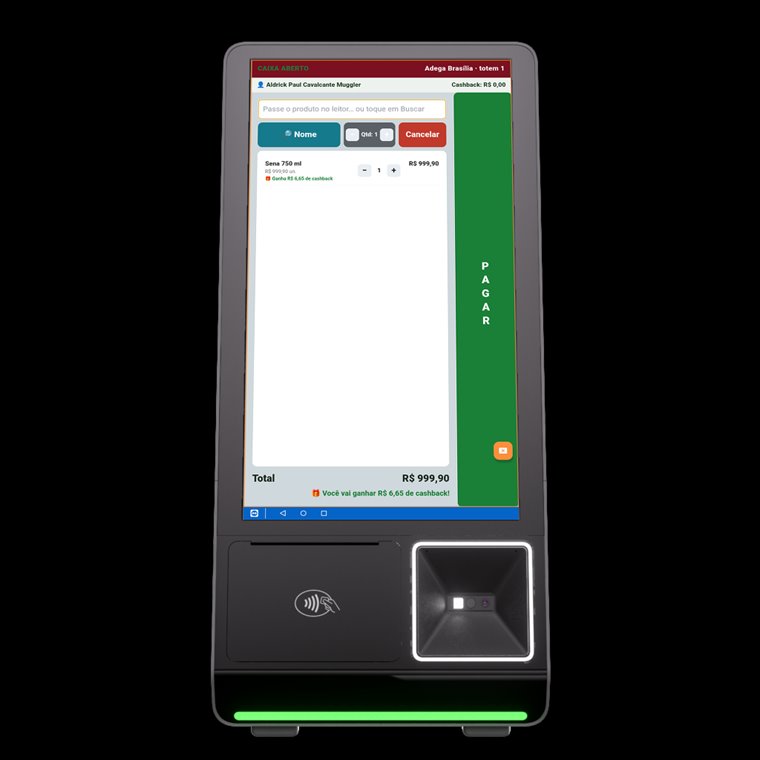
Purchase — product scanning with cashback in sight
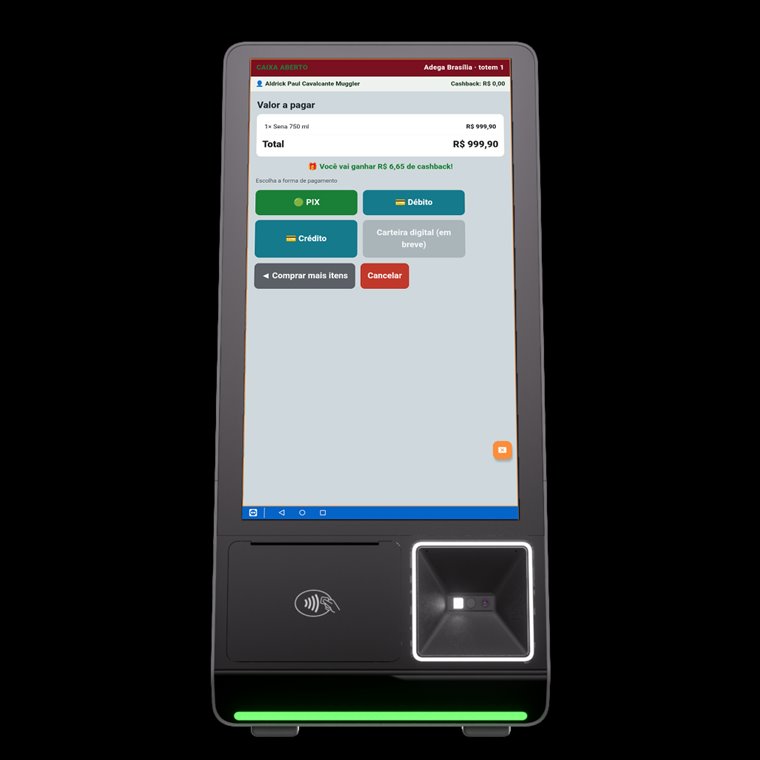
Payment — instant transfer, debit and credit
A consumer super app built around a sensory recommendation engine: it assembles each person's taste DNA and measures how well every label matches it — not how the market rates it on average.
It brings together label scanning from a photo, an open-ended sommelier chat, a QR sommelier inside the venue, a guide to nearby shops, promotions and a course track.
A W-AI product, currently in development. The screens below are from the build in progress.
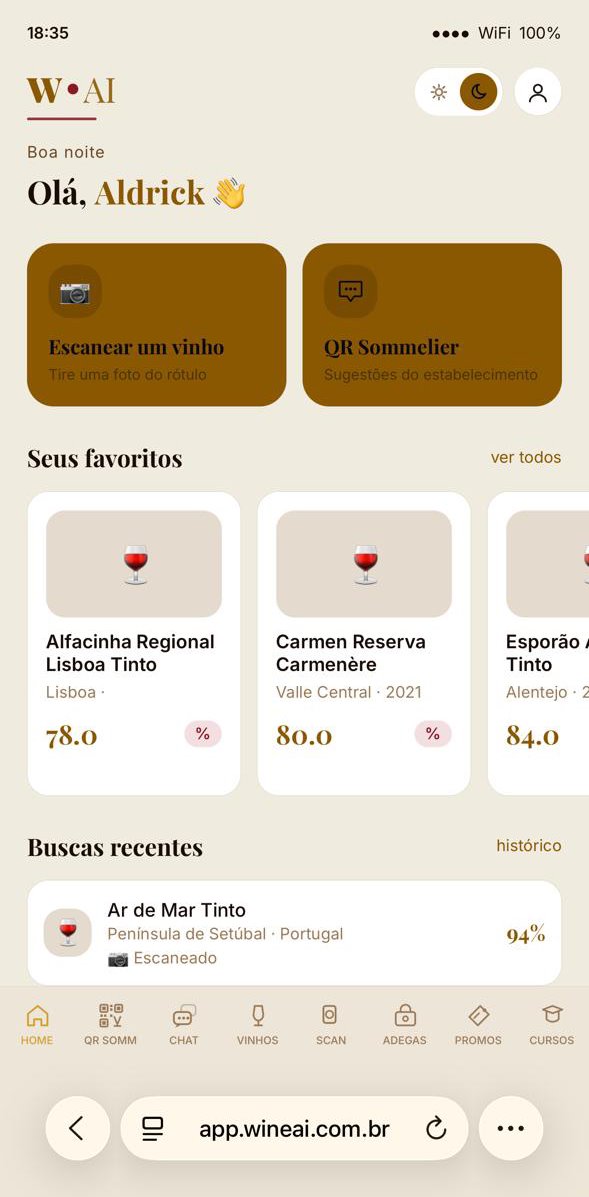
Home — scan a label or enter through the venue's QR code
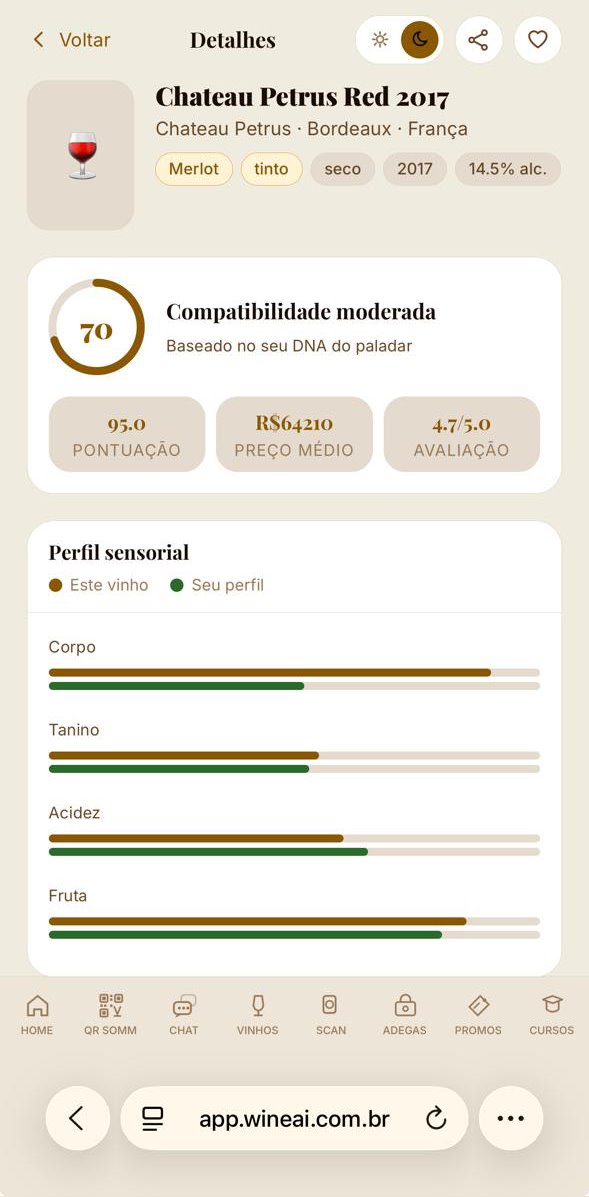
Compatibility — the wine's profile laid over yours, axis by axis
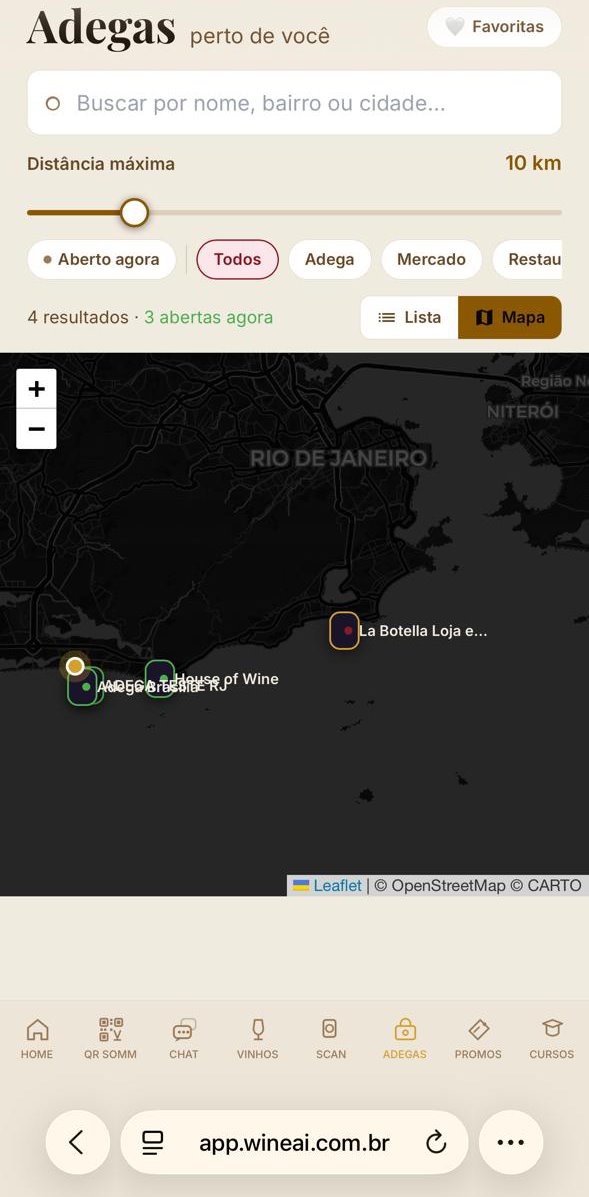
Shops — who is open right now, within the radius you choose
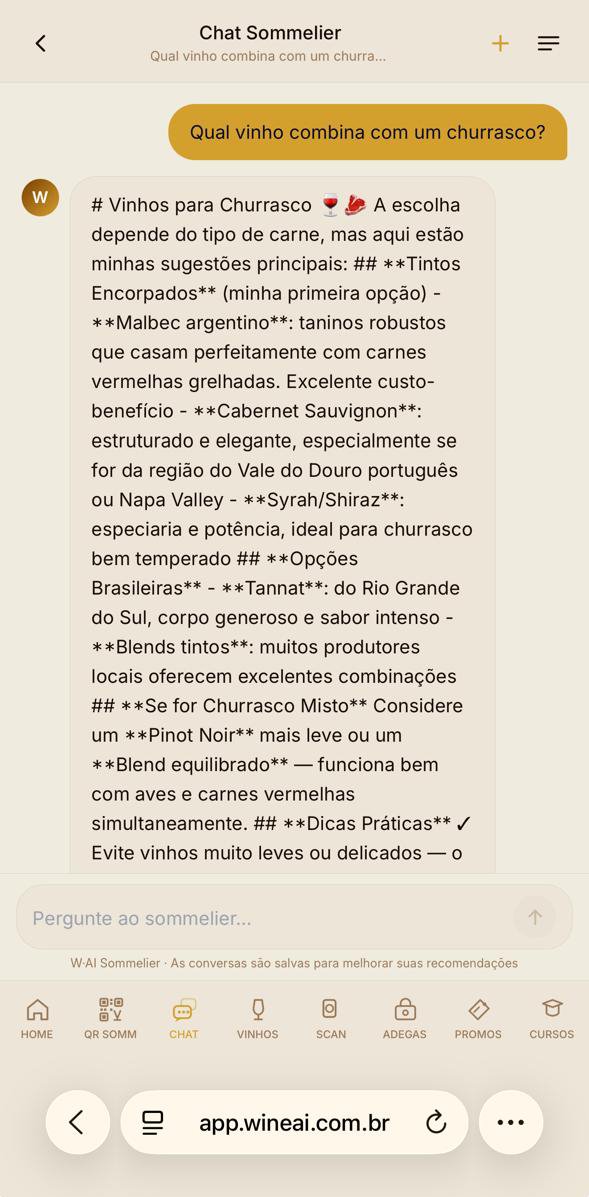
Sommelier chat — talk freely, without searching for a product
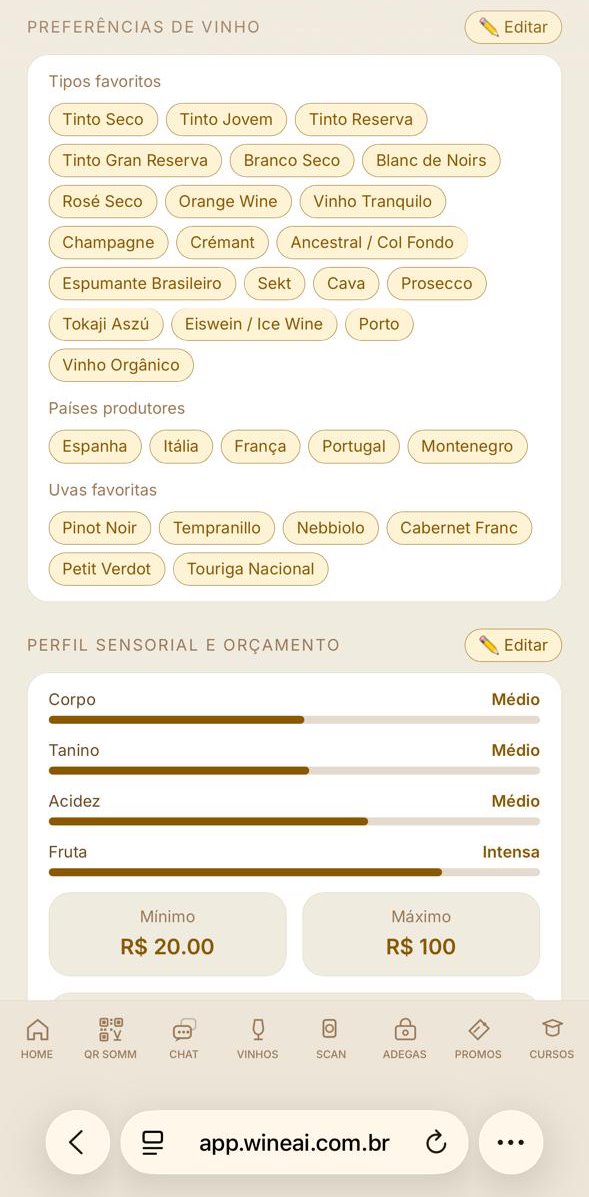
Profile — preferences, sensory axes and budget range
A health marketplace connecting patients and companies to licensed professionals — from a single teleconsultation to the psychosocial risk assessment that Brazilian occupational health regulation now makes mandatory for employers.
The two hard problems of this category are solved inside the product: professional licences are checked against the official register and shown on the profile, and payment is held in escrow until the appointment is completed and accepted.
It is the clearest evidence that the method does not depend on the industry: here the regulatory shielding stage defined the entire product.
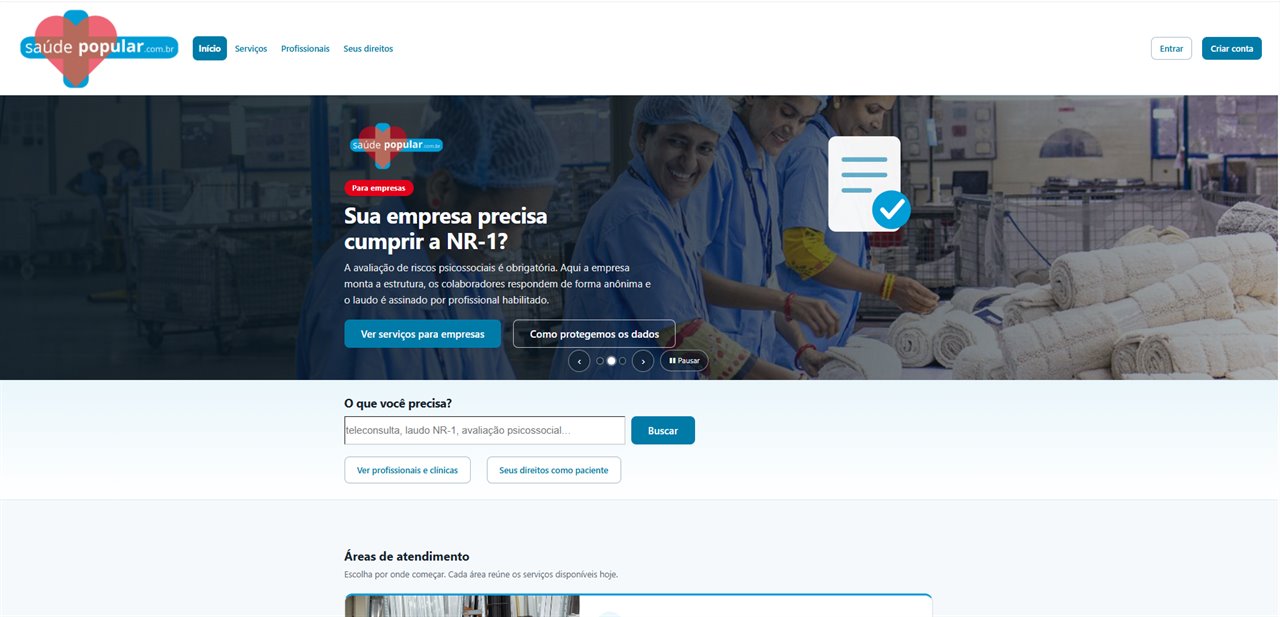
Home — separate entry points for patients and for companies
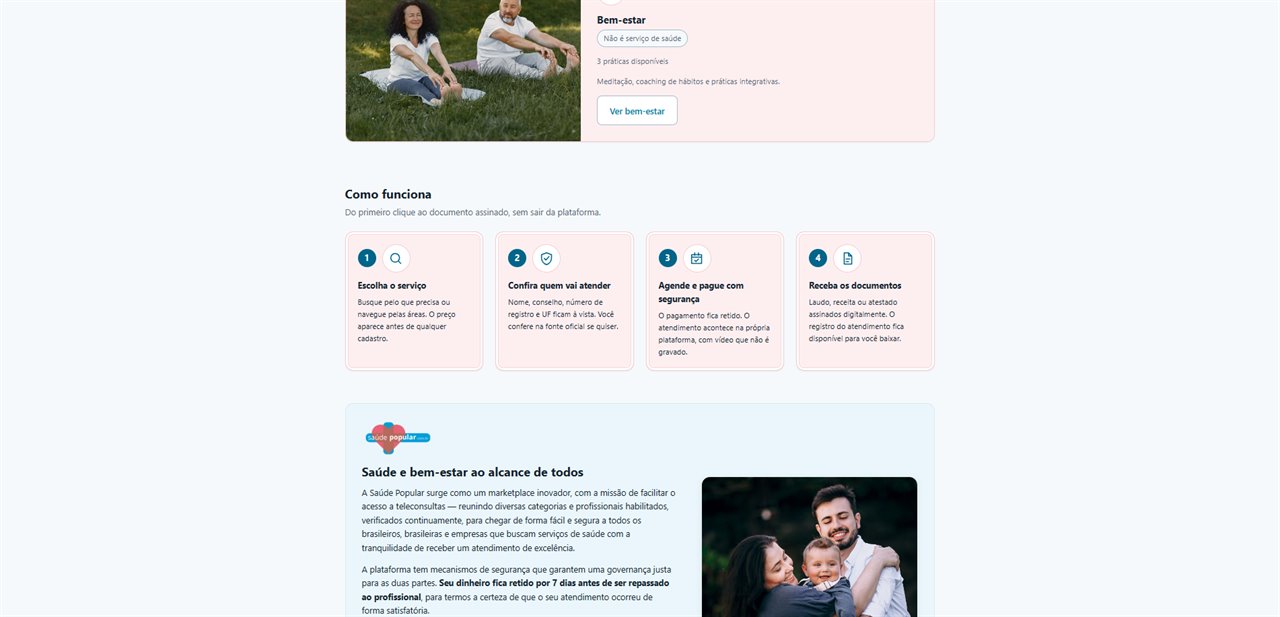
How it works — from the first click to the signed document
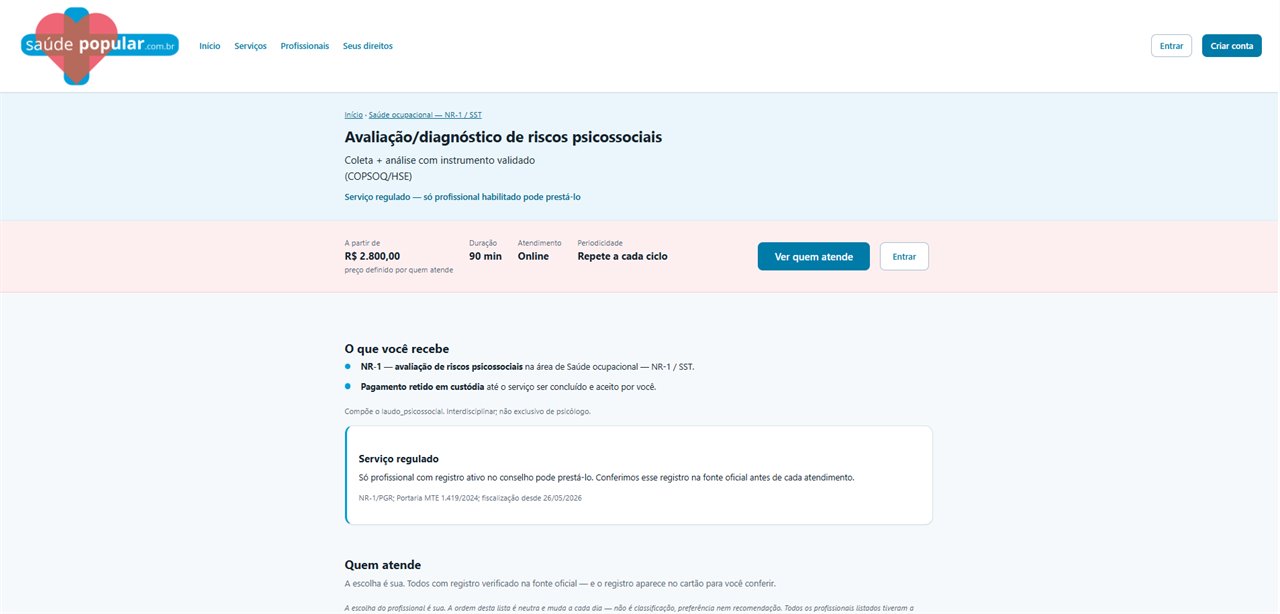
Service — price, duration and the licensing rule up front
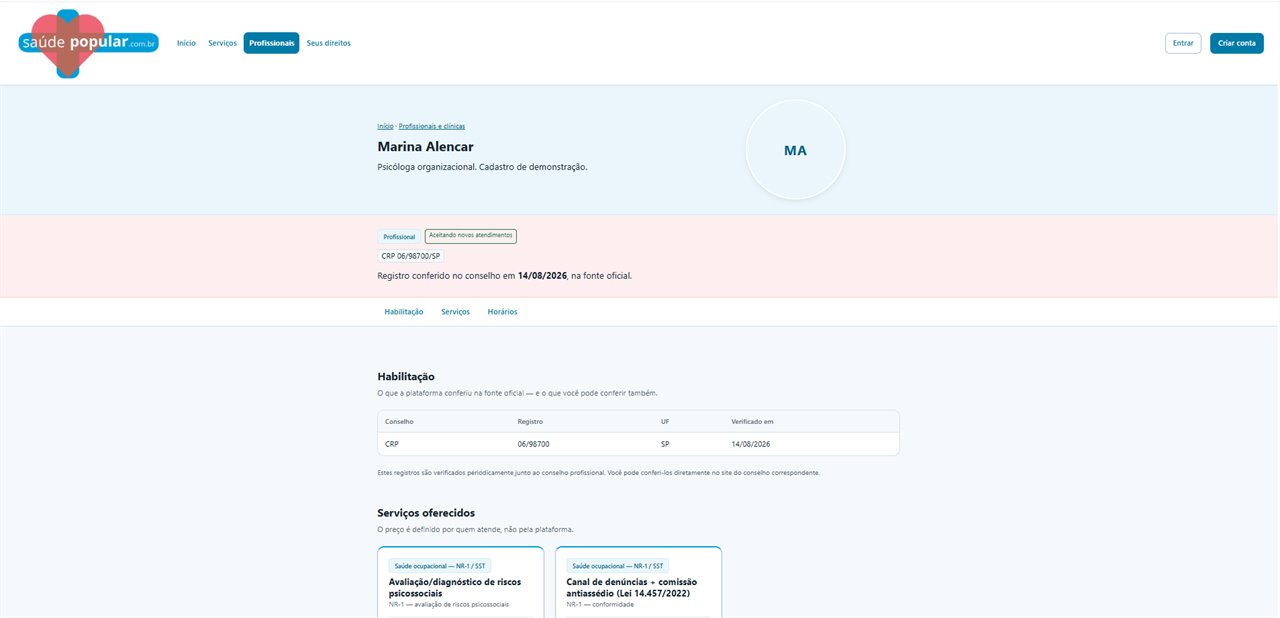
Professional — licence verified against the official register
All of these projects started the same way: a conversation about the business, not about technology. Tell us your problem.